Build a LinkedIn Profile Roaster with AkashML
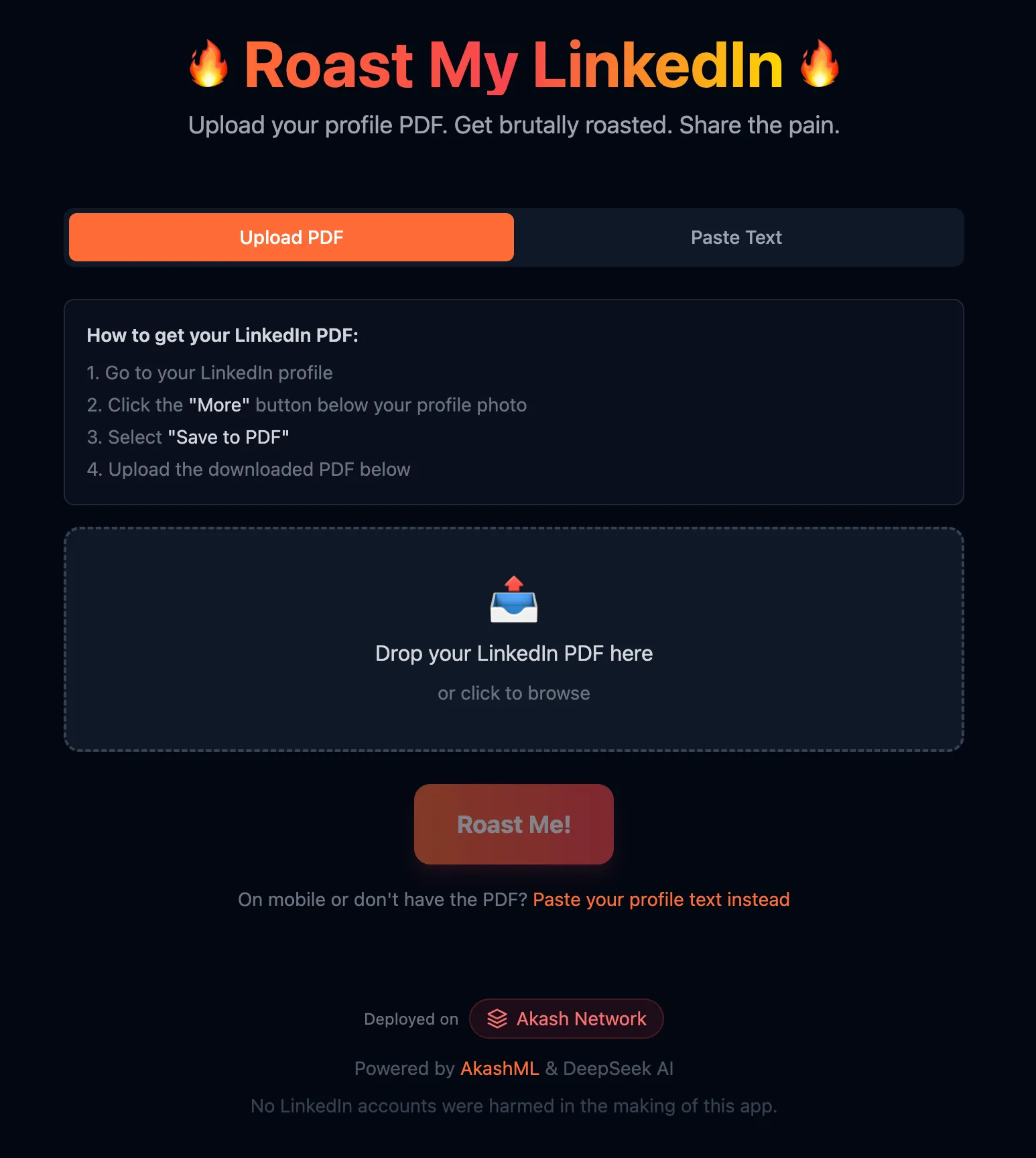
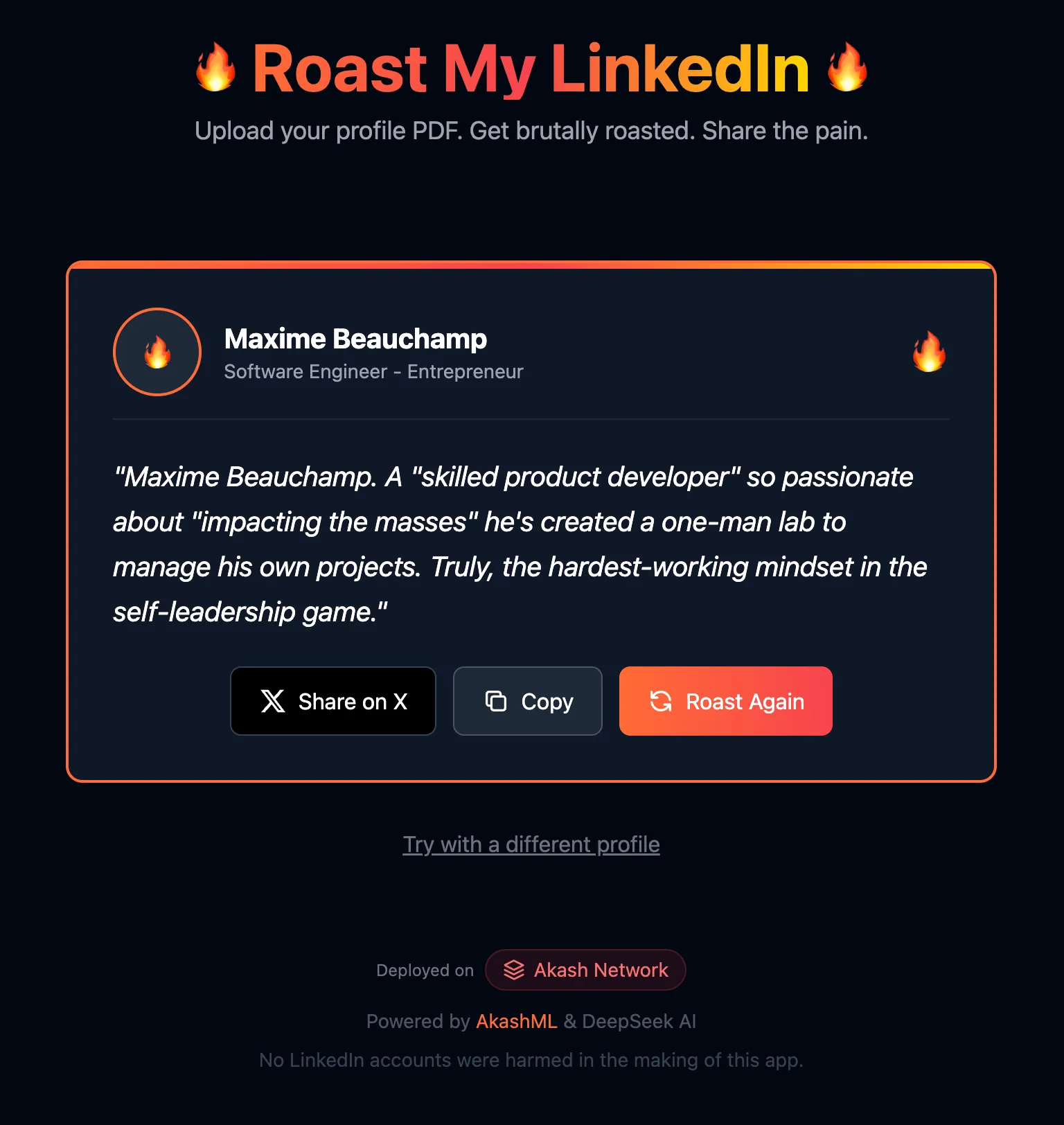
In this tutorial, you’ll build a fun web application that generates AI-powered roasts of LinkedIn profiles. Users can upload their LinkedIn PDF or paste their profile text, and the app will deliver a savage (but clever) roast of their corporate jargon and buzzwords.
What you’ll learn:
- How to integrate AkashML’s API with DeepSeek-V3
- Using AI to extract structured data from unstructured text
- Client-side PDF parsing with pdf.js
- Deploying static sites to Akash Network with Build & Deploy
Source Code: github.com/baktun14/linkedin-roast
Architecture Overview
This app runs entirely in the browser - no backend server required. This makes deployment simple and keeps costs low.
┌─────────────────────────────────────────────────────┐│ Browser ││ ┌─────────────┐ ┌─────────────┐ ┌─────────────┐ ││ │ pdf.js │→ │ AkashML │→ │ AkashML │ ││ │ (parsing) │ │ (extraction)│ │ (roast) │ ││ └─────────────┘ └─────────────┘ └─────────────┘ │└─────────────────────────────────────────────────────┘ ↓ ┌───────────────────────┐ │ api.akashml.com │ │ (DeepSeek-V3.2) │ └───────────────────────┘Tech Stack
- Frontend: React + TypeScript + Vite
- Styling: Tailwind CSS
- AI: AkashML (DeepSeek-V3.2)
- PDF Parsing: pdfjs-dist (client-side)
- Deployment: Akash Network (Build & Deploy)
Prerequisites
Before starting, make sure you have:
- Bun v1.0+ or Node.js installed
- AkashML API Key - Get one at akashml.com
- Basic knowledge of React and TypeScript
Step 1: Project Setup
# Clone the repositorygit clone https://github.com/baktun14/linkedin-roast.gitcd linkedin-roast
# Install dependenciesbun install
# Set up environmentcp .env.example .env# Add your AkashML API key to .env
# Start dev serverbun run dev:frontend
Environment Variables
VITE_AKASHML_API_KEY=your-api-key-hereSecurity Notice: The
VITE_prefix means the API key is bundled into the frontend JavaScript and visible to users. This is acceptable for demos or keys with usage limits. For production apps with sensitive keys, consider a backend proxy.
Step 2: Integrating AkashML
AkashML provides an OpenAI-compatible API, making integration straightforward. The app makes two AI calls:
- Profile Extraction - Parse structured data from PDF text (low temperature)
- Roast Generation - Create a witty roast (high temperature)
API Configuration
const AKASH_API_URL = 'https://api.akashml.com/v1/chat/completions';const API_KEY = import.meta.env.VITE_AKASHML_API_KEY;
async function callAkashML(  systemPrompt: string,  userPrompt: string,  temperature: number,  maxTokens: number) {  const response = await fetch(AKASH_API_URL, {    method: 'POST',    headers: {      'Content-Type': 'application/json',      Authorization: `Bearer ${API_KEY}`,    },    body: JSON.stringify({      model: 'deepseek-ai/DeepSeek-V3.2',      messages: [        { role: 'system', content: systemPrompt },        { role: 'user', content: userPrompt },      ],      temperature,      max_tokens: maxTokens,    }),  });
  const data = await response.json();  return data.choices?.[0]?.message?.content?.trim();}
Key Parameters
| Parameter | Extraction | Roast Generation |
|---|---|---|
model | deepseek-ai/DeepSeek-V3.2 | deepseek-ai/DeepSeek-V3.2 |
temperature | 0.1 (precise) | 0.8 (creative) |
max_tokens | 1000 | 100 |
Step 3: AI-Powered Profile Extraction
The first AI call extracts structured profile data from messy PDF text. We use low temperature (0.1) for accurate, consistent extraction.
System Prompt
You are a data extraction assistant. Extract LinkedIn profile informationfrom the provided PDF text and return it as valid JSON only, with noadditional text or markdown formatting.
Return ONLY a JSON object with these fields:{  "name": "Full name of the person",  "headline": "Their professional headline/title",  "about": "Their summary/about section (first 300 chars)",  "linkedinUrl": "Their LinkedIn URL if found",  "experience": ["Job 1 title at Company", "Job 2 title at Company"],  "skills": ["Skill 1", "Skill 2", "Skill 3"]}
Important:- The name is usually a person's full name (like "John Smith"),  NOT a section header like "Contact" or "Summary"- Return ONLY the JSON, no markdown code blocks or explanations
User Prompt
Extract the LinkedIn profile data from this PDF text:
[First 8000 characters of PDF text]
Why AI Beats Regex
LinkedIn PDFs have inconsistent formatting. Traditional regex approaches break constantly. AI handles:
- Different PDF export formats
- Varying section orders
- Multiple languages
- Messy text extraction artifacts
Step 4: Roast Generation
The second AI call generates the actual roast. We use higher temperature (0.8) for creativity while keeping output constrained.
System Prompt
You write brutal LinkedIn roasts. Rules:1. Aim for 200-240 characters (for Twitter, max 280) - THIS IS THE MOST IMPORTANT RULE2. NO intro like "Here's a roast" - just the roast itself3. Write in 3rd person using their name (never "you" or "this guy")4. Mock corporate jargon, buzzwords, inflated titles5. Be savage but clever, like a Comedy Central roast6. One punchy line or two, end with a mic-drop
Output ONLY the roast text, nothing else.
User Prompt
Roast [Name]'s LinkedIn profile.Headline: "[Their headline]"About: "[Their about section]"Experience: [Job 1]; [Job 2]; [Job 3]Skills they're proud of: [Skill 1], [Skill 2], [Skill 3]Prompt Engineering Tips
| Technique | Purpose |
|---|---|
| Numbered rules | Clear priority (character limit is #1) |
| Explicit negatives | ”NO intro”, “never ‘you’” prevents common issues |
| Specific range | ”200-240 characters” better than “short” |
| Style reference | ”Comedy Central roast” gives clear tone |
| Output constraint | ”ONLY the roast text” prevents preamble |
Step 5: Client-Side PDF Parsing
We use pdf.js to parse PDFs entirely in the browser - no server upload needed.
Setup
import * as pdfjsLib from 'pdfjs-dist';
// Configure the worker (runs PDF parsing in a web worker)pdfjsLib.GlobalWorkerOptions.workerSrc =  `https://unpkg.com/pdfjs-dist@${pdfjsLib.version}/build/pdf.worker.min.mjs`;
Extracting Text
async function extractTextFromPDF(file: File): Promise<string> {  const arrayBuffer = await file.arrayBuffer();  const pdf = await pdfjsLib.getDocument({ data: arrayBuffer }).promise;
  let fullText = '';  for (let i = 1; i <= pdf.numPages; i++) {    const page = await pdf.getPage(i);    const textContent = await page.getTextContent();    const pageText = textContent.items      .map((item) => ('str' in item ? item.str : ''))      .join(' ');    fullText += pageText + '\n';  }
  return fullText;}
Step 6: Deploying on Akash Network
The easiest way to deploy is using Akash Console’s Build & Deploy feature, which automatically builds and serves your static site.
- Go to console.akash.network
- Click “Build and Deploy”
- Connect your GitHub repository
- Set environment variable:
VITE_AKASHML_API_KEY - Deploy!
That’s it - Akash Console handles the build process and static file serving.
The Complete Flow
- User uploads PDF → pdf.js extracts text in browser
- Text sent to AkashML → AI extracts structured profile (name, headline, skills)
- Profile sent to AkashML → AI generates personalized roast
- Roast displayed → User can share on Twitter or copy to clipboard
PDF Upload → pdf.js → AkashML (extract) → AkashML (roast) → DisplayConclusion
You’ve learned how to:
- Integrate AkashML with the OpenAI-compatible API
- Use AI for data extraction with low temperature for accuracy
- Generate creative content with high temperature and constrained prompts
- Parse PDFs client-side with pdf.js
- Deploy to Akash Network with Build & Deploy
Key Takeaways
| Task | Temperature | Why |
|---|---|---|
| Data extraction | 0.1 | Consistent, accurate JSON output |
| Creative generation | 0.8 | Varied, entertaining results |
- AI beats regex for unstructured data extraction
- Client-side architecture simplifies deployment
- Specific prompts with numbered rules and explicit constraints work better than vague instructions
Resources
- AkashML - Get your API key
- Akash Console - Deploy your apps
- Source Code - Full project repository
Built with AkashML on Akash Network