Akash ships two web apps for deploying. Pick the one whose key-custody model matches what you want.
| Akash Console (managed) ↗ | Console Air (self-custody) ↗ | |
|---|---|---|
| Wallet | Not required | Bring your own (Keplr-compatible) |
| Billing | Credit card | Pay directly in AKT/ACT |
| Hosting | Hosted at console.akash.network | Self-hostable; you run it |
| Best for | Beginners, SaaS users, anyone who wants AWS-style deploys without crypto | Crypto-native users who want to own their keys end-to-end |
| Open | console.akash.network ↗ | github.com/akash-network/console-air ↗ |
Pick by audience
Do you want to hold your own keys?
- No → Akash Console. Sign up with your email and start deploying; add a card when you want to go past the trial. Begin with the Quick Start.
- Yes → Console Air. Clone the repo, run it locally, connect your wallet. New here? Walk through your first deploy in Deploy with Console Air. Already have deployments on
console.akash.network? Follow the migration guide.
For programmatic access — CLI, SDK, REST API — see the API Documentation.
What Console Air looks like
A wallet-connected deploy in three frames — same UI as the legacy self-custody flow, now living in Console Air:
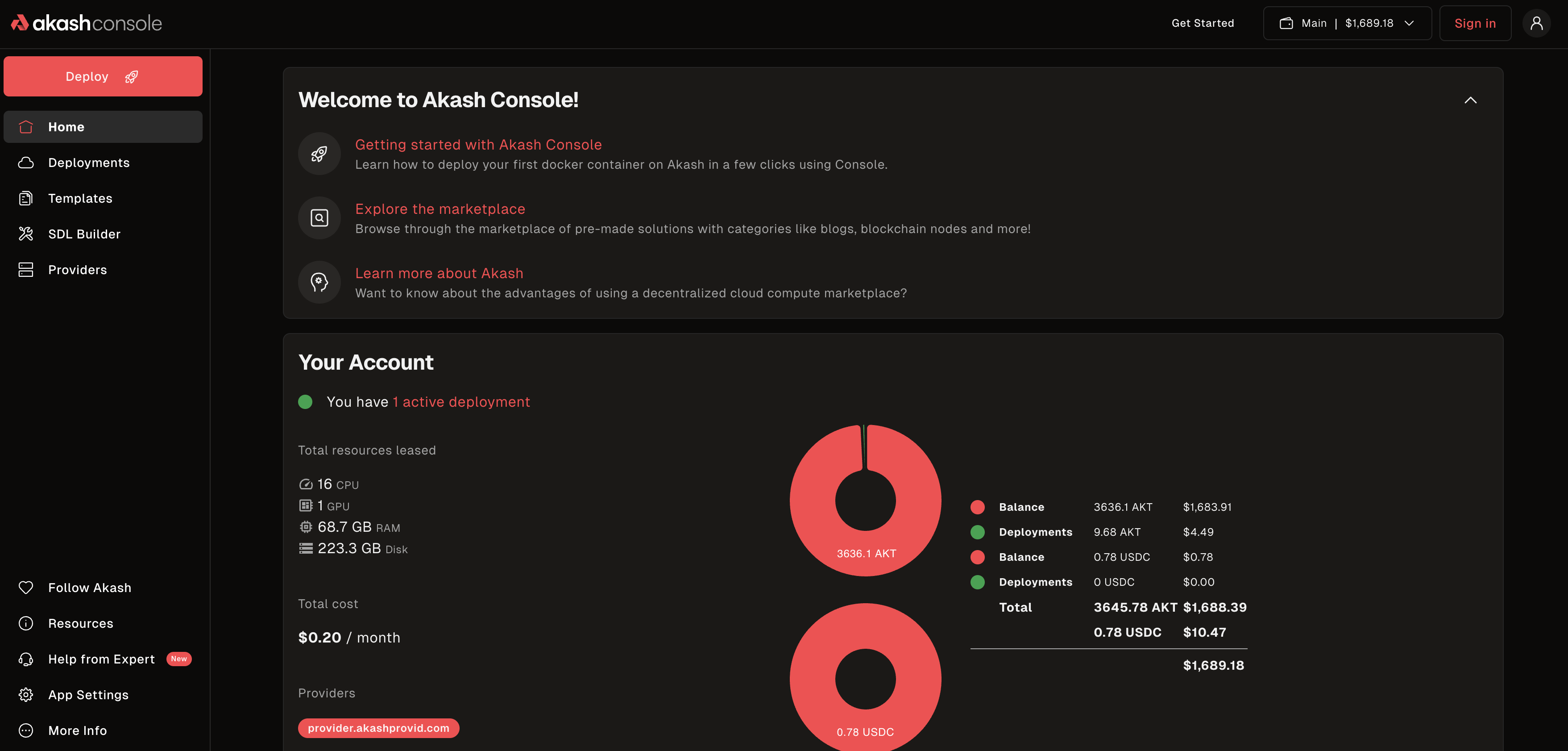 Connected — your Akash address and balances show in the top right.
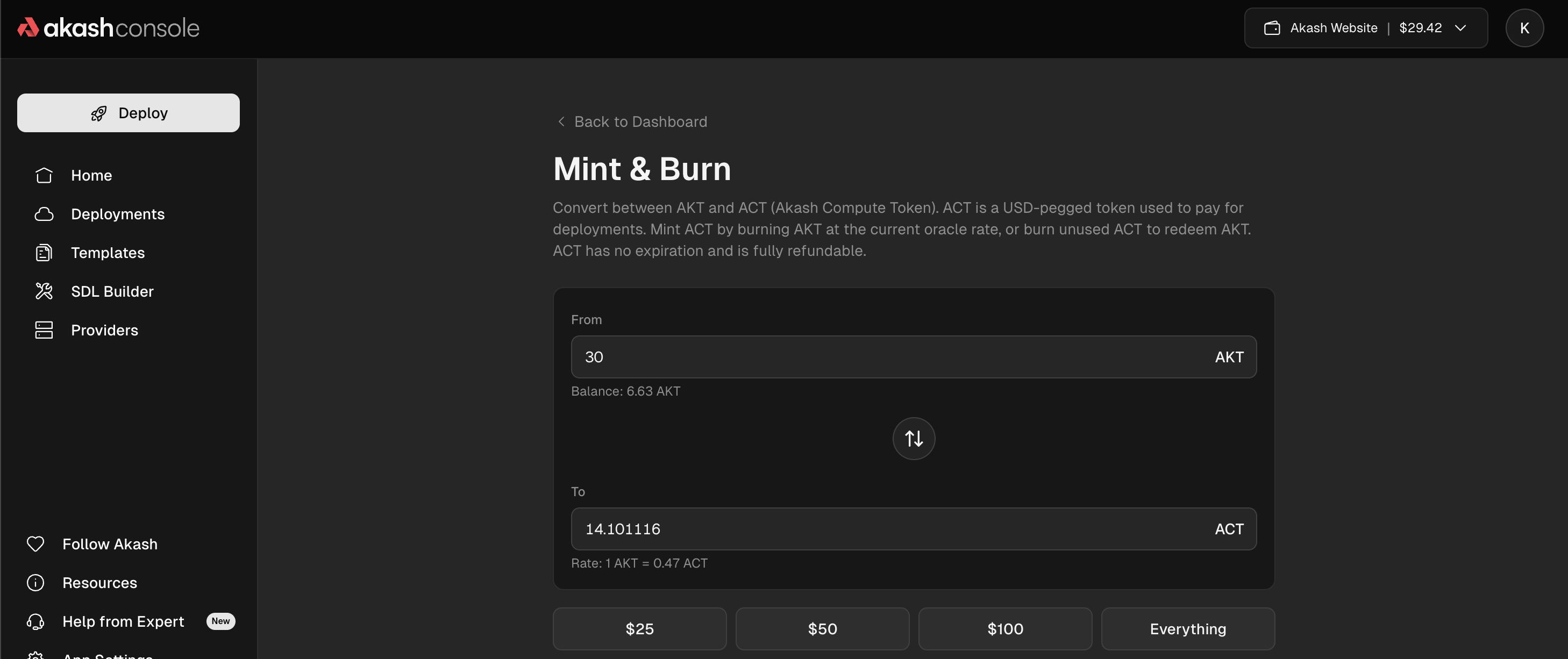 Mint ACT from AKT — Console Air’s escrow currency for deployments.
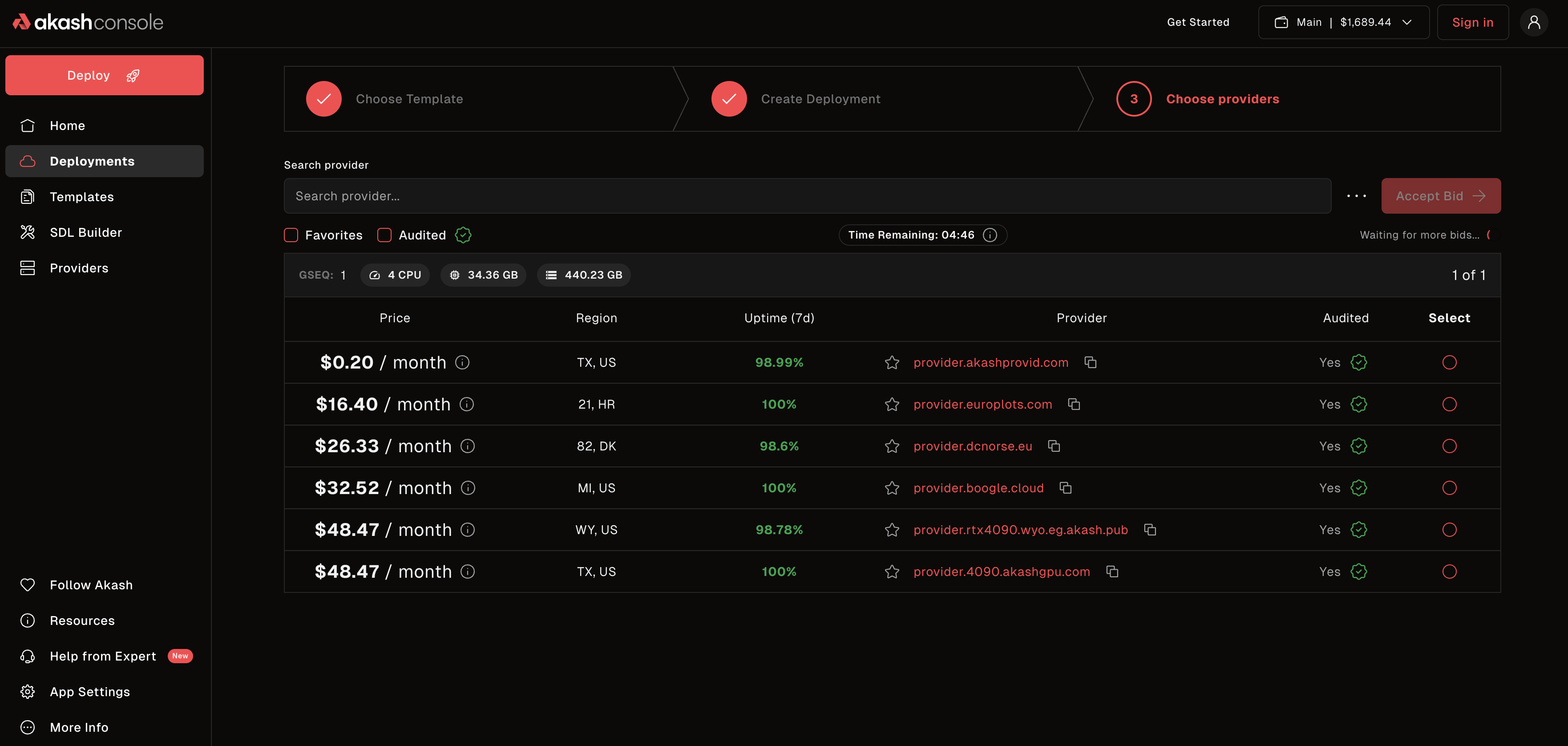 Pick a provider bid and sign the lease in your wallet.
For the full step-by-step, see Deploy with Console Air.
Background
The split is explained in the Console Air announcement and the design rationale in AEP-84.