GPU Rental Pricing
Rent a cloud GPU by the hour from independent providers. Akash is a GPU rental marketplace: providers bid for your workload, so the prices below are what the market charges right now.
| GPU model | Avg. price / GPU-hr |
|---|---|
B300 | |
B200 | |
Vera Rubin | |
H100 | |
A100 | |
Pro 6000 SE | |
Pro 6000 WE | |
RTX 5090 32 GBPCIe | |
RTX 3090 24 GBPCIe | |
RTX 4090 24 GBPCIe | |
V100 32 GBPCIe | |
V100 32 GBSXM2 | |
A100 | |
RTX 3090 Ti 24 GBPCIe | |
P40 24 GBPCIe | |
RTX 4000 Ada 20 GBPCIe | |
RTX 5000 16 GBPCIe | |
RTX 4080 16 GBPCIe | |
T4 16 GBPCIe | |
RTX 3060 12 GBPCIe | |
GTX 1070 Ti 8 GBPCIe | |
P4 8 GBPCIe | |
M4000 8 GBPCIe | |
RTX 4060 8 GBPCIe | |
GTX 1660 Ti 6 GBPCIe | |
P2000 5 GBPCIe | |
GTX 1050 Ti 4 GBPCIe | |
GTX 1050 2 GBPCIe |
Each price is the average hourly rate for one GPU in USD, based on recent provider bids and weighted by how many GPUs each provider offers. Next-gen GPUs available on request show “Request access” instead.
Looking for Bulk Orders or Custom Configurations?
Get in TouchHow GPU rental on Akash works
- 1
Pick a GPU. Compare the GPUs for rent and their average prices in the table above.
- 2
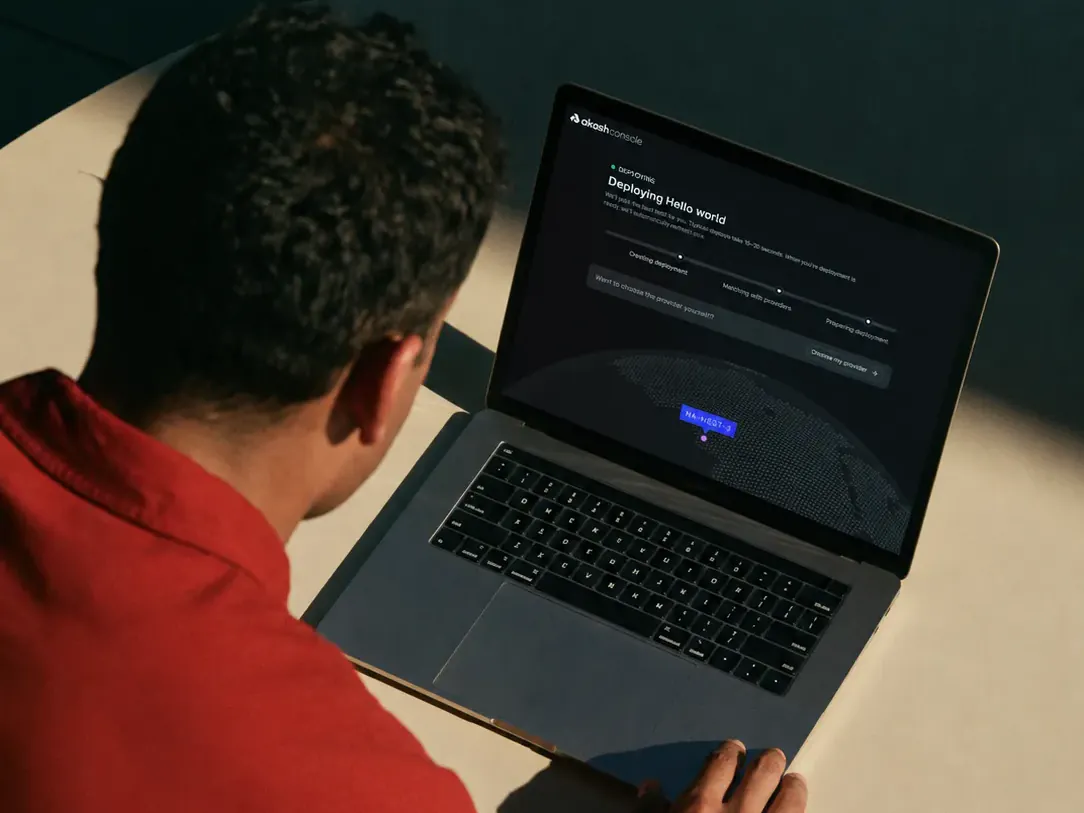
Deploy a container. In Akash Console, choose a template or paste a Docker image, then accept a provider's bid.
- 3
Pay for what you use. Billing runs while the deployment runs. Estimate costs with the Usage Pricing Calculator.
- 4
Stop anytime. Close the deployment and billing stops.
On-demand or reserved capacity
On-demand
For experiments, bursts and workloads you scale up and down. Deploy in minutes and pay by the hour.
Reserved
For steady production traffic or multi-node training: rent a GPU cluster or dedicated bare-metal GPUs, with custom-quoted terms.
Data-center GPUs for training and large-model inference
The most memory per GPU, for frontier-scale training and serving large models.
Workstation and consumer GPUs for inference, fine-tuning and image generation
Lower hourly rates for serving mid-size and smaller models, LoRA fine-tuning and image generation.
- RTX Pro 6000 Server Edition Mid-size models on one GPU96 GB
- RTX Pro 6000 Workstation Edition Mid-size models on one GPU96 GB
- RTX 5090 Smaller models and LoRA fine-tuning32 GB
- RTX 4090 Image generation and small-model inference24 GB
Looking at rack-scale Blackwell or NVIDIA Vera Rubin? See next-gen GPUs on Akash, or how the GB300 NVL72 compares with the B300.
GPU rental FAQ
How much does it cost to rent a GPU?
On Akash, renting a GPU for AI work costs about $0.16 to $2.73 per GPU-hour, as of November 25, 2026. Consumer GPUs with 24–32 GB run about $0.16–$0.58, workstation GPUs with 96 GB about $1.92–$2.27, and 80 GB data-center GPUs about $1.67–$2.73. Prices come from live provider bids, and there are no egress fees.
How does renting a GPU on Akash work?
Renting a GPU on Akash takes four steps: pick a GPU in the pricing table, deploy a container in Akash Console from a template or your own Docker image, accept a provider's bid, and pay while the deployment runs. On-demand deployments start in minutes, and billing stops when you close the deployment.
What is GPU as a service?
GPU as a service (GPUaaS) means renting GPU compute from a cloud provider instead of buying hardware: you pay by the hour or for a reserved term, and the provider runs the servers. On Akash, GPU as a service comes in two forms: on-demand GPUs billed while they run, and reserved bare-metal clusters with SLA-backed uptime.
How can my company secure GPU capacity during a GPU shortage?
On Akash, companies secure GPU capacity in two ways: rent on-demand GPUs from independent providers when they're available, or reserve a dedicated bare-metal cluster for a fixed term with SLA-backed uptime and custom-quoted pricing. Reserved clusters include NVLink, and InfiniBand for multi-node training. Request a quote through the bulk order form.
Can I rent a GPU by the hour, with no long-term contract?
Yes. On Akash, on-demand GPU deployments are billed for the time they run, with no long-term contract. Close a deployment and billing stops. Only reserved clusters are quoted for a fixed term.
How are GPU prices on Akash set, and are there hidden fees?
Independent providers bid on each deployment, and you see every bid and choose one before anything runs. Akash's GPU pricing table shows the average price per GPU-hour: recent bids, weighted by each provider's GPU count. The bid you accept is the rate you pay. To estimate CPU, memory and storage alongside the GPU, use the Usage Pricing Calculator.
Are there egress or bandwidth fees?
No. Akash doesn't charge egress or bandwidth fees, so serving an inference endpoint or moving checkpoints and datasets out adds no per-GB charge.
How reliable are GPU providers on Akash, and can I see uptime before I choose?
Yes. When you request quotes in Akash Console, each provider's bid shows its region and uptime stats, so you can compare before you accept. You can also limit a deployment to audited providers. For production workloads, reserved clusters come with SLA-backed uptime.
Can I choose where my AI workloads physically run?
Yes. On Akash, every provider's bid shows its region when you request quotes in Akash Console, so you choose where your workload runs before you accept a bid.
Can I run my own Docker image without managing Kubernetes?
Yes. In Akash Console, pick a template or paste any Docker image, choose a GPU and deploy. The provider runs the container on its own infrastructure, so there's no cluster for you to set up or manage.
Can I pay for GPU rental with a credit card?
Yes. Akash Console is a managed service: you pay by credit card in USD, like any other cloud provider, with no wallet or special account needed.
Can I reserve dedicated GPUs or a multi-GPU cluster?
Yes. On Akash, reserved clusters run on dedicated bare metal with NVLink, and InfiniBand for multi-node training, with SLA-backed uptime and custom-quoted terms. Request a quote through the bulk order form.
Which GPU should I choose for LLM inference vs. training?
For training and serving large models, pick a data-center GPU: the B300 (288 GB) and B200 (180 GB) hold the largest models per GPU, the H200 (141 GB) suits long-context inference, and the H100 and A100 (80 GB) cover most fine-tuning and serving. For inference on smaller models, fine-tuning and image generation, the RTX Pro 6000 (96 GB) or an RTX 5090 or 4090 costs less per hour.