By Sandeep Narahari, Contributor. Last updated: August 2026.
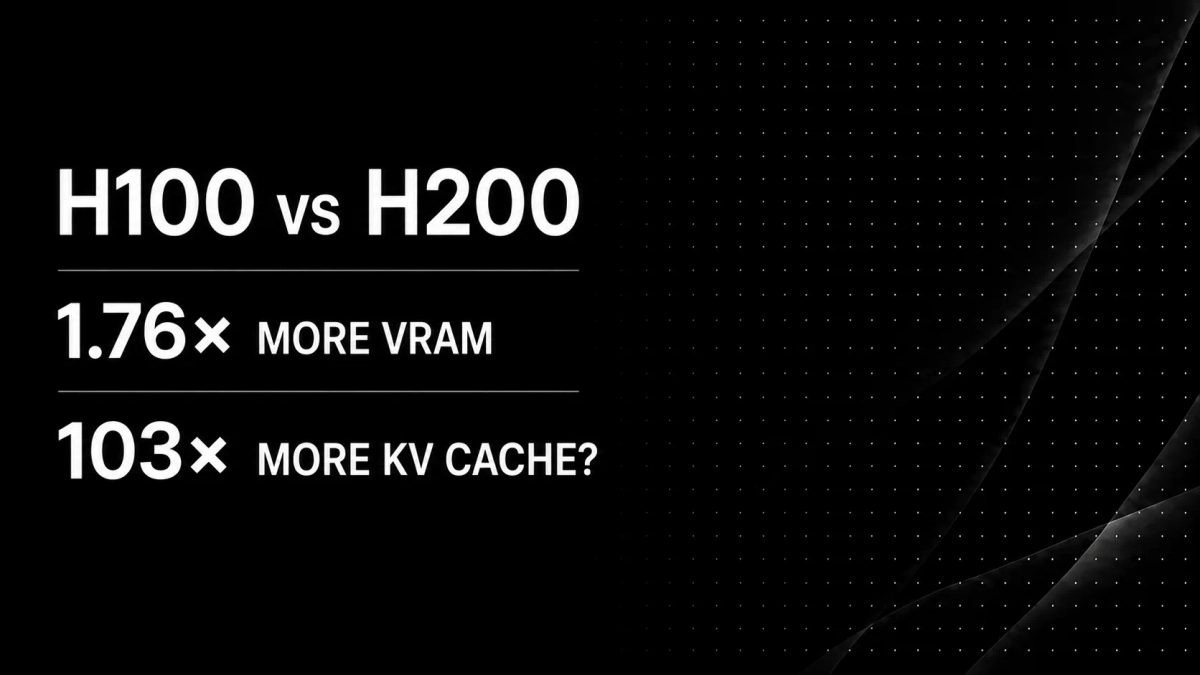
The H200’s 141GB holds between 2x and 103x more aggregate KV-cache token capacity than the H100’s 80GB, not the 1.76x the nameplate numbers suggest. That capacity is a shared pool split across however many requests are running concurrently, not a single session’s context window: a single session is separately capped by the model’s own max_position_embeddings (128K for Llama 3.1, 131,072 with YaRN for Qwen3-32B) no matter how much memory is free. The multiplier itself is not the ratio of total memory. It is the ratio of what is left after the model weights are loaded, and that leftover is where the non-linearity lives.
For a Llama 3.1 8B deployment in BF16, the H200 gives you almost exactly 2x the pooled KV-cache capacity. For Qwen3-32B in BF16, it gives you 11x. For Llama 3.1 70B in FP8, the H100’s leftover budget (about 1,700 tokens under vLLM’s defaults) is too small to serve one request at a useful length, while the H200’s roughly 172,000-token budget comfortably covers the model’s full 128K window with room to spare. Same two GPUs, same generation, three completely different answers.
Note: Every capacity figure below is computed from vLLM’s documented memory-allocation formula and NVIDIA’s published per-token KV-cache formula, not measured on hardware. GPU capacity uses NVIDIA’s decimal nameplate figures (80GB, 141GB); the actual VRAM a driver reports, and the memory left over after a provider’s own runtime overhead, will differ somewhat, so treat the exact multipliers as modeled estimates, not benchmark results, and profile your own deployment before sizing production capacity.
TL;DR
- KV cache memory is the leftover, not the headline. vLLM allocates KV cache from
total_memory * gpu_memory_utilizationminus weights, activations and CUDA graphs (vLLMgpu_worker.py). Going from 80GB to 141GB adds 61GB of raw memory but can multiply the aggregate KV-cache token budget by 100x when weights consume most of the 80GB. A single session’s context is still capped separately by the model’s own maximum context length. - Per-token KV cache is fixed by architecture, not by context length. Llama 3.1 70B costs 320 KiB per token in BF16. Llama 3.1 8B costs 128 KiB. DeepSeek-V3 costs 68.6 KiB despite being 671B parameters, because Multi-head Latent Attention compresses the cache (DeepSeek-V2 report).
- The H200 also has 1.4x higher memory bandwidth. NVIDIA states the H200 has “nearly 1.8x more GPU memory and 1.4x higher GPU memory bandwidth” than the H100 (NVIDIA MLPerf blog). Since every decode step reads the entire KV cache, capacity and bandwidth compound at long context instead of trading off.
- The gain shows up as fewer GPUs, not just more headroom. NVIDIA attributes part of the H200’s Llama 2 70B MLPerf gain to no longer needing tensor or pipeline parallelism, which “reduces communication overhead and improves inference throughput” (NVIDIA MLPerf blog).
- Advertised context is not effective context. NVIDIA’s RULER benchmark found that of 17 models claiming 32K or more, “only half of them can maintain satisfactory performance at the length of 32K” (RULER, arXiv 2404.06654). Buying memory for a window the model cannot use is a real failure mode.
Why is the H200’s context advantage not just 1.76x?
Because model weights are subtracted first, and the KV cache gets only what remains. 141GB divided by 80GB is 1.76x, but no inference server allocates KV cache as a fraction of total VRAM.
vLLM determines the KV cache budget by running a profiling forward pass and then computing available memory as total_gpu_memory * gpu_memory_utilization minus non-KV-cache memory minus the CUDA graph estimate, per the determine_available_memory() implementation. The gpu_memory_utilization default is 0.92 in current vLLM releases; older releases defaulted to 0.90, which is where the widely repeated 0.9 figure comes from (vLLM engine args).
Write it as arithmetic:
KV budget = (capacity × 0.92) − weights − activations/CUDA graphsOn an H100 that is 73.6 − weights − overhead. On an H200 it is 129.7 − weights − overhead. (Aggregate figures are the total token pool shared across concurrent requests, bounded separately by each model’s own max context length; see the concurrency table below for what that means per session.) The numerator grows by a fixed 56.1GB while the subtrahend stays constant, so the ratio between the two budgets depends entirely on how large the weights are. Small weights push the ratio toward 1.76x. Weights close to 73.6GB push it toward infinity, because the H100 budget approaches zero.
This is the single most misunderstood point in H100 versus H200 comparisons. The gain is not a percentage. It is a cliff, and where you sit relative to the cliff is set by your model and your weight precision.
Two different numbers, not one. Every table below reports aggregate KV-cache token capacity: the total pool of tokens the GPU can hold across all requests running at once. It is not a single conversation’s usable window. A single session is capped separately by the model’s native context length regardless of free memory: 131,072 for Llama 3.1 (8B/70B/405B), 32,768 natively or 131,072 with YaRN for Qwen3-32B, and a 128K published context length for DeepSeek-V3/R1. Divide the aggregate figure by your target session length to get real concurrency; the dedicated concurrency table further down does exactly that.
How much KV cache does one token actually cost?
Between 68.6 KiB and 504 KiB per token in BF16, depending on the model’s layer count, key-value head count and attention architecture. NVIDIA gives the formula directly:
Size of KV cache per token in bytes = 2 × (num_layers) × (num_heads × dim_head) × precision_in_bytesSource: NVIDIA, Mastering LLM Techniques: Inference Optimization. The leading 2 covers keys and values. With grouped-query attention, num_heads is the number of key-value heads, not query heads, which is why Llama 3.1 405B with 128 query heads still only pays for 8.
| Model | Layers | KV heads | Head dim | KV per token, BF16 | KV per token, FP8 | Attention |
|---|---|---|---|---|---|---|
| Llama 3.1 8B | 32 | 8 | 128 | 128 KiB | 64 KiB | GQA |
| Qwen3-32B | 64 | 8 | 128 | 256 KiB | 128 KiB | GQA + QK-Norm |
| Llama 3.1 70B | 80 | 8 | 128 | 320 KiB | 160 KiB | GQA |
| Mistral Large 2 (123B) | 88 | 8 | 128 | 352 KiB | 176 KiB | GQA |
| Llama 3.1 405B | 126 | 8 | 128 | 504 KiB | 252 KiB | GQA |
| DeepSeek-V3 / R1 (671B) | 61 | n/a | 128 + 64 RoPE | 68.6 KiB | 34.3 KiB | MLA |
Layer and KV-head counts are from the Llama 3 Herd of Models paper (Table 3) and the Qwen3 technical report (Table 1). Head dimension is not printed in either paper table; it is confirmed directly from each model’s published config (Llama 3.1 70B config via NVIDIA’s FP8 mirror, Qwen3-32B config, where head_dim is set independently of hidden_size / num_heads). DeepSeek-V3 figures are from its technical report. Mistral Large 2’s 88-layer/8-KV-head/128-head_dim architecture is from its config.json; the 123B parameter count is from its model card. Per-token byte figures are computed from those architecture parameters using NVIDIA’s formula.
The takeaway is that per-token KV cost tracks depth, not parameter count. DeepSeek-V3 is 9.5x larger than Llama 3.1 70B by parameters yet costs 4.7x less per token of context, because Multi-head Latent Attention caches a 512-dimension compressed latent plus a 64-dimension RoPE key per layer instead of full keys and values. The DeepSeek-V2 report states its KV cache “is equal to GQA with only 2.25 groups” and that the architecture “reduces the KV cache by 93.3%” relative to DeepSeek 67B.
How many tokens fit on an H100 versus an H200?
Here is the calculation applied to real single-GPU deployments, using vLLM’s default 0.92 utilization and a 2.5GB reserve for activations and CUDA graphs. Memory in decimal GB (10^9 bytes) as NVIDIA labels it.
| Configuration | H100 KV budget | H100 aggregate KV tokens* | H200 KV budget | H200 aggregate KV tokens* | Multiplier |
|---|---|---|---|---|---|
| Llama 3.1 8B, BF16 weights, BF16 KV | 55.0 GB | 419,922 | 111.2 GB | 848,083 | 2.0x |
| Llama 3.1 8B, BF16 weights, FP8 KV | 55.0 GB | 839,844 | 111.2 GB | 1,696,167 | 2.0x |
| Qwen3-32B, BF16 weights, BF16 KV | 5.6 GB | 21,286 | 61.7 GB | 235,367 | 11.1x |
| Qwen3-32B, FP8 weights, BF16 KV | 38.3 GB | 146,255 | 94.5 GB | 360,336 | 2.5x |
| Llama 3.1 70B, FP8 weights, BF16 KV | 0.6 GB | 1,678 | 56.7 GB | 172,943 | 103.0x |
| Llama 3.1 70B, FP8 weights, FP8 KV | 0.6 GB | 3,357 | 56.7 GB | 345,886 | 103.0x |
*Aggregate KV tokens is the shared pool across all concurrent requests, not a single session’s window — see the note above and the concurrency table below.
Read the Qwen3-32B row twice. In BF16 the weights are 65.5GB, which leaves 5.6GB of KV cache on an H100 and 61.7GB on an H200. That is an 11x swing produced by 61GB of extra memory, and it is why “1.76x more VRAM” is a misleading way to describe the H200 for anyone serving a mid-size model at native precision.
The Llama 3.1 70B row is the extreme case. At 70.6GB of FP8 weights, an H100 has essentially nothing left. If you set max_model_len anywhere near Llama 3.1’s native 131,072-token ceiling, vLLM does not degrade gracefully. It refuses to start, raising an error that names the shortfall and the largest context that would fit:
To serve at least one request with the model's max seq len ({max_model_len}), ({N} GiB KV cache is needed,which is larger than the available KV cache memory ({M} GiB). Based on the available memory, the estimatedmaximum model length is {estimated_max_len}.Source: vLLM kv_cache_utils.py. Below that hard failure sits a softer one, KV cache preemption, where vLLM logs Sequence group 0 is preempted by PreemptionMode.RECOMPUTE mode because there is not enough KV cache space and recomputes evicted prefixes (vLLM optimization docs). Throughput drops without any error surfacing to the client.
How many concurrent 128K-token sessions can each GPU hold?
The token totals above are shared across all in-flight requests, so divide by the per-session context to get real concurrency. At a full 128K window per session:
| Configuration | H100 sessions | H200 sessions |
|---|---|---|
| Llama 3.1 8B, BF16 weights, BF16 KV | 3 | 6 |
| Llama 3.1 8B, BF16 weights, FP8 KV | 6 | 12 |
| Qwen3-32B, BF16 weights, BF16 KV | 0 | 1 |
| Qwen3-32B, FP8 weights, BF16 KV | 1 | 2 |
| Llama 3.1 70B, FP8 weights, BF16 KV | 0 | 1 |
| Llama 3.1 70B, FP8 weights, FP8 KV | 0 | 2 |
Concurrency at long context is where the H200’s capacity turns into throughput. NVIDIA’s own MLPerf writeup attributes its Llama 2 70B gains partly to this: the larger memory “removes the need for tensor parallel or pipeline parallel execution for optimal performance,” which “reduces communication overhead and improves inference throughput” (NVIDIA MLPerf blog). A single H200 can sometimes do what previously needed a multi-GPU H100 setup, though whether it actually replaces a specific tensor-parallel configuration depends on the model’s precision, framework overhead and target context length.
Does the H200’s extra bandwidth matter for long context, or just capacity?
It matters, and specifically it matters more as context grows. Autoregressive decode is memory-bandwidth bound, and the bytes it reads per step scale with context length.
NVIDIA’s performance documentation gives the criterion: “an algorithm is memory limited if its arithmetic intensity is lower than the processor’s ops:byte ratio,” and its worked example puts a batch-1 linear layer at 1 FLOP per byte, firmly memory limited (NVIDIA GPU Performance Background). That batch-1 linear layer illustrates why decode can be memory-bound. NVIDIA states it plainly elsewhere: “The speed at which the data (weights, keys, values, activations) is transferred to the GPU from memory dominates the latency, not how fast the computation actually happens” (Mastering LLM Techniques).
Now add the context term. Microsoft’s Splitwise paper states that “each active generated token that is being processed accesses the KV cache of its entire context so far” (arXiv 2311.18677). So bytes read per decode step is roughly weights + (batch × context × KV bytes per token). For Llama 3.1 70B at 128K context, one sequence’s KV cache is 40GB in BF16, which is larger than the FP8 weights themselves. Past a few tens of thousands of tokens, the KV cache stops being a side cost and becomes the dominant read.
This is why the H200’s 4.8 TB/s is not a separate line-item advantage. It is applied to the exact bytes that grew, which is why NVIDIA reports the H200 “relieving bottlenecks in memory bandwidth-bound portions of the workload.” NVIDIA’s published H200 claims are 1.9x on Llama 2 70B inference and 1.6x on GPT-3 175B (NVIDIA H200 product page), and up to 28% better Llama 2 70B MLPerf performance at 700W, rising to 45% at a 1,000W thermal setting.
NVIDIA lists H100 SXM memory bandwidth at 3.35 TB/s on its own product page (NVIDIA H100 product page), against the H200’s 4.8 TB/s, consistent with the 1.4x ratio NVIDIA states directly for the two GPUs.
Can FP8 KV cache make an H100 behave like an H200?
Partly, and it is the highest-leverage single flag available, but it does not close a 100x gap and it is not free.
Setting --kv-cache-dtype fp8 halves per-token KV bytes. vLLM’s documentation frames the benefit exactly as this article’s question: “Quantizing the KV (Key-Value) cache to FP8 format can significantly reduce its memory footprint. This optimization enables you to store more tokens in memory, leading to improved throughput and support for longer context windows” (vLLM quantized KV cache). TensorRT-LLM exposes the same via KvCacheConfig(dtype='fp8') and reports token throughput rising from 3,389 to 5,300 tokens/sec with a quantized KV cache, about 56% (TensorRT-LLM FP8 tuning guide).
Three honest limits:
- It scales the leftover, not the leftover’s size. FP8 KV cache doubles token capacity on both GPUs, so it preserves the multiplier rather than erasing it. Llama 3.1 70B FP8 goes from 1,678 to 3,357 tokens on an H100. Still unusable.
- Accuracy is not guaranteed and long context is the sensitive case. NVIDIA’s guidance is blunt: “While quantization aims to preserve model accuracy this is not guaranteed and it is extremely important you check that the quality of outputs remains sufficient after quantization.” vLLM adds that “some attention layer types (e.g. sliding-window) are more sensitive to KV-cache quantization.” Hugging Face’s measured study of quantized KV cache found int4 “performs almost the same as the original fp16 precision” on perplexity and LongBench, and reported that on an 80GB A100 a quantized cache supported up to 128k tokens versus 40k in half precision (HF blog, KV cache quantization).
- There is a latency cost. The same Hugging Face study observed that “the generation speed starts to decrease with higher batch sizes” and measured a “threefold decrease in speed” when weight and KV quantization were combined. Capacity bought with quantization can be paid for in tokens per second.
One frequently miscited option: NVFP4 KV cache delivers a further “about 50%” reduction versus FP8 with “<1% accuracy loss,” including an approximate RULER 64K score, read from the blog’s own chart, of about 94.6% for NVFP4 versus 95.5% for FP8, measured on Qwen3-Coder-480B-A35B (NVIDIA NVFP4 KV cache blog). It is Blackwell-only (sm100/103) per the TensorRT-LLM quantization docs, so it is unavailable on both the H100 and the H200 and does not belong in this comparison.
Other documented levers, none of which produce order-of-magnitude capacity: --max-num-seqs and --max-model-len to cap batch and window, --enable-prefix-caching, --cpu-offload-gb, and enforce_eager to reclaim CUDA graph memory (vLLM conserving memory). Prefix caching carries a scoping caveat worth knowing: it “only reduces the time of processing the queries (the prefilling phase) and does not reduce the time of generating new tokens” (vLLM APC docs).
Should you buy memory for context the model cannot use?
Often no, and this is the argument that limits the whole H200-for-long-context case.
NVIDIA’s RULER benchmark tested 17 long-context models across 13 tasks and found that “despite achieving nearly perfect accuracy in the vanilla NIAH test, almost all models exhibit large performance drops as the context length increases. While these models all claim context sizes of 32K tokens or greater, only half of them can maintain satisfactory performance at the length of 32K” (arXiv 2404.06654). Its claimed-versus-effective table is stark: GPT-4 claimed 128K with 64K effective, Llama 3.1 70B claimed 128K with 64K effective, Yi-34B-200K claimed 200K with 32K effective.
The positional finding is worse. Liu et al. showed that “performance is often highest when relevant information occurs at the beginning or end of the input context, and significantly degrades when models must access relevant information in the middle of long contexts, even for explicitly long-context models,” and measured GPT-3.5-Turbo dropping more than 20 points, to the point where “performance in 20- and 30-document settings is lower than performance without any input documents (i.e. closed-book performance; 56.1%)” (Lost in the Middle, arXiv 2307.03172).
Paying for 40GB of KV cache to hold context the model uses worse than no context is the failure mode to avoid. The practical read: size KV cache to the model’s effective window, then spend the remaining memory on concurrency instead of window length. A 6-session H200 at 64K useful context is a better machine than a 3-session H200 at 128K nominal.
There is also a compute wall independent of memory. Attention cost is quadratic in sequence length while the KV cache grows linearly, so long prefills get expensive in FLOPs before they get expensive in bytes. FlashAttention’s authors note that “the time and memory complexity of self-attention are quadratic in sequence length” (arXiv 2205.14135), while NVIDIA notes the KV cache “grows linearly with the size of the language model, number of batched requests, and sequence context lengths” (TensorRT-LLM KV reuse blog). The DistServe authors put a number on how early this bites: “for a 13B LLM, computing the prefill of a 512-token sequence makes an A100 near compute-bound” (arXiv 2401.09670). At 128K input you are roughly 250x past that saturation point, so time-to-first-token, not memory, may be your binding constraint.
When is an H100 still the right choice for long context?
When your weights leave real headroom on 80GB, when you can quantize the KV cache without failing your own eval, or when availability and price decide the matter.
| Situation | Better choice | Why |
|---|---|---|
| 7B to 13B model, BF16 weights | H100 | 55GB of KV budget already holds roughly 420K tokens of aggregate capacity; the H200’s capacity advantage is smallest here (about 2x) since weights are small relative to either GPU’s budget. |
| 30B model, BF16 weights, long context | H200 | H100 leaves 5.6GB of KV cache. 11x context gap. |
| 70B model, FP8, single GPU | H200 | H100 cannot start the server at useful context lengths. |
| 70B model, BF16 | Neither alone | 141GB of weights exceeds both. Needs TP=2 or FP8. |
| MLA models (DeepSeek-V3, Mistral Large 3) | Either | 68.6 KiB per token means capacity is rarely the binding constraint. |
| Batch-1 latency-critical, short context | H100 | Bandwidth advantage is 1.4x; capacity is unused. |
| Throughput at 32K to 64K, mid-size model | H200 | Concurrency scales with leftover memory, and NVIDIA reports removing the need for TP. |
Note the fourth row honestly: the H200 does not solve 70B at BF16 either. A 70B-class model in BF16 (roughly 140GB of weights before any cache or activations) is too large to leave practical inference headroom on a single 141GB H200. Anyone marketing the H200 as “the single GPU that runs 70B” is talking about FP8.
FAQ
How much KV cache does Llama 3.1 70B use per token?+
Llama 3.1 70B uses 320 KiB per token in BF16 and 160 KiB in FP8, derived from 80 layers, 8 key-value heads and a head dimension of 128 using NVIDIA’s formula. At a 128K context, one sequence’s KV cache is about 40GB in BF16, which exceeds the model’s own FP8 weight footprint of 70.6GB by a substantial fraction.
Can a single H200 run Llama 3.1 70B at 128K context?+
Yes, in FP8. With FP8 weights at 70.6GB, an H200 has about 56.7GB of KV budget under vLLM defaults, which holds roughly 172,900 tokens, enough for one full 128K session or several shorter ones. With FP8 KV cache as well, it holds about 345,900 tokens, or two concurrent 128K sessions. BF16 weights at 141.1GB do not fit.
Does FP8 KV cache hurt output quality?+
It can, and NVIDIA declines to guarantee otherwise, stating that preserving accuracy “is not guaranteed and it is extremely important you check that the quality of outputs remains sufficient.” Hugging Face’s measured study found int4 KV cache performed close to fp16 on perplexity and LongBench, but vLLM notes sliding-window attention layers are more sensitive. Always evaluate on your own long-context task.
Why does DeepSeek-V3 need less KV cache than Llama 3.1 70B despite being 671B parameters?+
DeepSeek-V3 uses Multi-head Latent Attention, which caches a 512-dimension compressed latent plus a 64-dimension RoPE key per layer rather than full keys and values across all heads. Across 61 layers that is 68.6 KiB per token in BF16, about 4.7x less than Llama 3.1 70B’s 320 KiB. The DeepSeek-V2 report describes the resulting cache as equivalent to GQA with 2.25 groups.
Does more VRAM mean the model actually uses longer context well?+
No. NVIDIA’s RULER benchmark found that of 17 models claiming 32K or longer windows, only half performed acceptably at 32K, and Yi-34B-200K’s effective length was 32K against a 200K claim. Separately, accuracy drops sharply for information positioned mid-context. Memory sets the ceiling on what you can load, not on what the model can use.
What error does vLLM give when the KV cache does not fit?+
vLLM refuses to start and raises an error naming the required KV cache size, the available size and the estimated maximum model length that would fit, suggesting you raise gpu_memory_utilization or lower max_model_len. A softer failure appears at runtime as a preemption warning stating that a sequence group was preempted “because there is not enough KV cache space,” which silently reduces throughput.