Last updated: October 2026
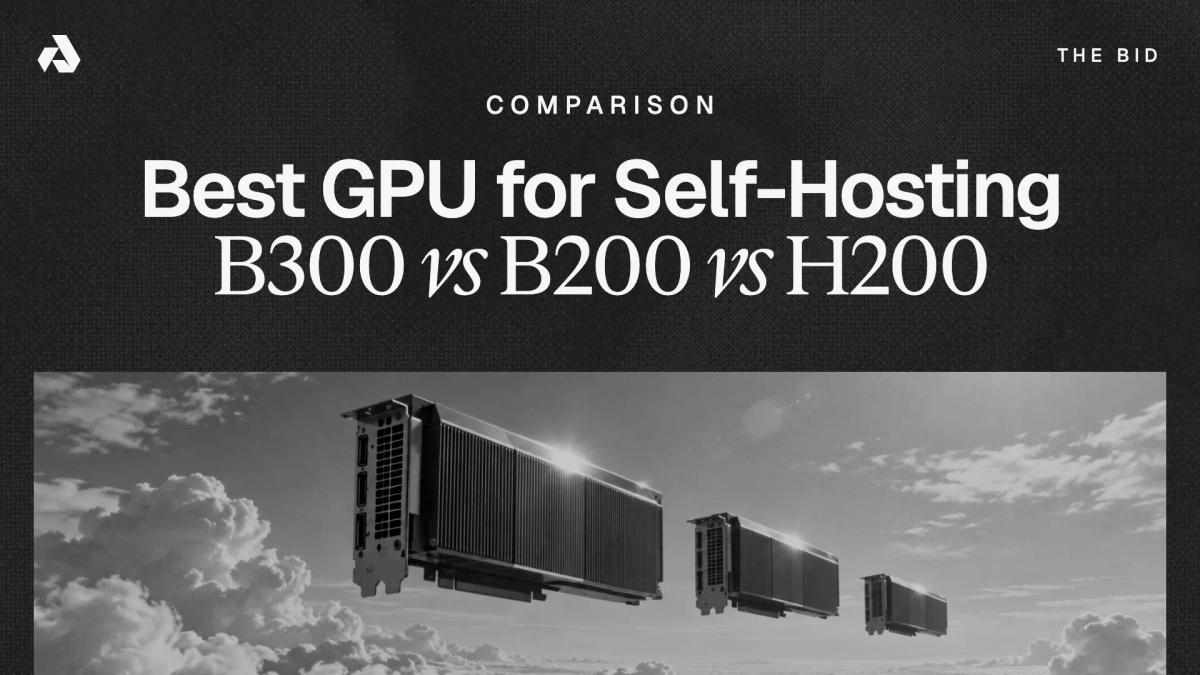
The H200 is the best-value choice for self-hosting AI models when the model fits within its 141GB of VRAM. Choose the B200 when you need Blackwell’s FP4 support and additional memory, and choose the B300 when your model requires up to 288GB of VRAM per GPU.
TL;DR
- Memory is the real decision axis. A model’s weights, KV cache, and context length determine whether a GPU can run it at all; only then do price, bandwidth, FP4 support, and availability decide which GPU makes sense.
- Capacity per GPU: B300 carries 288GB of HBM3e, B200 carries 192GB, and H200 carries 141GB. Bandwidth is 8 TB/s on both Blackwell chips and 4.8 TB/s on the H200.
- On Akash, checked October 22, 2026: H200 runs $3.85/GPU-hr, B200 runs $5.00/GPU-hr, and B300 runs $6.00/GPU-hr. Aggregator-tracked market rates run $3.36 to $4.39 median for H200, $5.29 to $7.05 for B200, and $7.39 to $8.31 median for B300, reaching $13.78 to $17.80 at the high end.
- Per gigabyte of VRAM, the ordering inverts: the B300 is the cheapest memory of the three at $0.021/GB-hr at Akash’s listed rate, versus $0.026 for B200 and $0.027 for H200.
- Model fit decides node count. DeepSeek V4 Flash 0731 (156.4GB) fits one B300, GLM-5.2 FP8 (755.6GB) fits 8x H200 or 4x B300, and Kimi K3 (1.56TB) fits only 8x B300 among these three.
- The H200 has no FP4 hardware. If your serving stack leans on NVFP4 quantization for throughput, only the B200 (9 PFLOPS dense FP4) and B300 (15 PFLOPS dense FP4) qualify.
Need bare-metal GPU access, or affordable, high-performance GPU compute? From training models to running inference to deploying containerized apps, Akash covers all your compute needs — see the GPUs on demand form for large clusters or reserved capacity in any quantity.
What are the spec differences between the NVIDIA B300, B200, and H200?
The B300 leads on memory (288GB) and FP4 compute (15 PFLOPS dense), the B200 matches its 8 TB/s bandwidth with 192GB, and the H200 offers the smallest memory footprint but the lowest power draw, the lowest price, and the most mature deployment ecosystem of the three. The B300, officially named Blackwell Ultra, was announced at GTC in March 2025 and has been shipping in rack-scale systems since the second half of 2025, with individual cloud instances broadly listed through 2026.
| Spec | B300 (Blackwell Ultra) | B200 (Blackwell) | H200 (Hopper) |
|---|---|---|---|
| VRAM (GB, HBM3e) | 288 | 192 | 141 |
| Memory bandwidth (TB/s) | 8.0 | 8.0 | 4.8 |
| Dense FP4 compute (PFLOPS) | 15 | 9 | Not supported |
| Dense FP8 compute (PFLOPS) | 4.5 (unchanged from B200) | 4.5 | 1.98 |
| NVLink per GPU (TB/s) | 1.8 (NVLink 5) | 1.8 (NVLink 5) | 0.9 (NVLink 4) |
| TDP (W) | 1,400 | 1,000 | 700 |
| 8-GPU node VRAM (GB) | 2,304 | 1,536 | 1,128 |
Board-level note: the figures above are chip-level. NVIDIA’s HGX board versions expose 180GB per B200 and 270GB per B300, with the full 192GB and 288GB reserved for Grace-paired GB200 and GB300 systems. Every model-fit conclusion in this post holds under either variant.
The takeaway: the B300 is a memory and FP4 upgrade, not a general compute upgrade. NVIDIA’s own HGX platform page states HGX B300 delivers 1.5x more dense FP4 Tensor Core FLOPS versus HGX B200, while FP8 and BF16 throughput are unchanged and bandwidth stays at 8 TB/s.
Two details matter for self-hosters. The B300 reaches its capacity by stacking HBM3e twelve dies high instead of the B200’s eight, following the same more-memory-same-silicon playbook NVIDIA used going from H100 to H200. And the B300’s 1,400W TDP is 40% above the B200’s 1,000W, which is why B300 capacity concentrates in liquid-cooled facilities and stays scarcer than the spec sheet suggests.
Which open-weight models fit on the B300, B200, and H200?
The right GPU is determined by the model you want to run: start with the model’s checkpoint size, then account for KV cache, context length, and runtime overhead. By that measure, DeepSeek V4 Flash 0731 fits a single B300, GLM-5.2’s official FP8 release needs 8x H200 or 4x B300, and Kimi K3 fits only an 8x B300 node among these three GPUs. Checkpoint sizes below come from our self-hosting guide to Kimi K3, GLM-5.2, and DeepSeek V4 Flash 0731, measured from each model’s Hugging Face repository.
| Model (official checkpoint) | Weights (GB) | Min B300 config | Min B200 config | Min H200 config |
|---|---|---|---|---|
| DeepSeek V4 Flash 0731 (MXFP4) | 156.4 | 1x (288GB) | 2x (384GB) | 2x (282GB) |
| GLM-5.2 (INT4 community) | 368 to 388 | 2x (576GB) | 3x (576GB) | 4x (564GB) |
| GLM-5.2 (FP8 official) | 755.6 | 4x (1,152GB) | 8x (1,536GB) | 8x (1,128GB) |
| Kimi K3 (MXFP4) | 1,560 | 8x (2,304GB) | Does not fit 8x (1,536GB) | Does not fit 8x (1,128GB) |
The pattern: each memory tier unlocks a model class the tier below cannot hold on one node, and Kimi K3’s 1.56TB checkpoint exceeds an entire 8x B200 node’s aggregate VRAM before a single KV cache byte is allocated.
Quantization changes the answer as much as hardware does. Community INT4 builds of GLM-5.2 land around 368 to 388GB, which halves the node requirement to 2x B300 or 4x H200 and makes the model reachable at roughly half the hourly cost of the official FP8 release.
Sizing note: these configurations hold weights only. Budget an extra 20% to 40% of VRAM for KV cache at moderate context, and substantially more if you intend to use the million-token windows these models advertise. That margin is why the table lists 2x B200 as the floor for DeepSeek V4 Flash rather than one: a single B200’s 192GB leaves only 35GB above the 156.4GB of weights, below the working headroom a production deployment needs.
The single-GPU story is the B300’s strongest card. At 288GB, one B300 holds DeepSeek V4 Flash’s full checkpoint with roughly 130GB left for KV cache, making it the only GPU among these three that serves a frontier-class open-weight MoE model with no tensor parallelism at all. Independent GPU trackers confirm a single B300 can serve DeepSeek V4 Flash.
How much does it cost per hour to rent a B300, B200, or H200 in 2026?
As of October 22, 2026, the Akash marketplace prices the H200 at $3.85/GPU-hr, the B200 at $5.00/GPU-hr, and the B300 at $6.00/GPU-hr. For any quantity or term, use the GPUs on demand request form.
| GPU | Akash rate ($/GPU-hr) | Tracked market low ($/GPU-hr) | Tracked market median ($/GPU-hr) | Tracked market high ($/GPU-hr) |
|---|---|---|---|---|
| H200 | 3.85 (Oct 22 2026) | 3.36 | 4.00 to 4.39 | ~13.78 (hyperscaler, normalized) |
| B200 | 5.00 (Oct 22 2026) | 5.29 (on-demand); 3.35 (reserved) | ~6.14 | 7.05 (on-demand survey) |
| B300 | 6.00 (Oct 22 2026) | 7.39 (on-demand); 3.86 (60-mo reserved) | 8.31 | 17.80 |
The takeaway: the spread between the cheapest and most expensive listings for identical silicon runs 2x to 4x at every tier, and the B300’s listed premium over the H200 on Akash (56%) is far smaller than its 104% memory advantage.
Market figures above come from independent price aggregators, all carrying August 2026 as-of dates: H200 low, median, and configurations from gpus.io and GetDeploying, with the normalized hyperscaler high from AI Tool Discovery’s H200 pricing analysis; B200 range from Tech Insider’s August 2026 Blackwell pricing roundup and GetDeploying’s 26-provider tracker; B300 low and median from gpus.io with the reserved floor and $17.80 ceiling from GetDeploying’s 22-provider B300 tracker. AWS raised H200 instance prices in January 2026, the first hyperscaler GPU price increase in roughly two decades, so the high end of these ranges is moving up, not down. All of these figures move; check the as-of date on any table you compare against, including this one.
Node-level math at Akash rates puts real workloads in monthly terms:
| Configuration | Aggregate VRAM (GB) | Hourly ($) | Monthly at 24/7 ($) | Runs |
|---|---|---|---|---|
| 1x B300 | 288 | 6.00 | ~4,380 | DeepSeek V4 Flash 0731 |
| 2x H200 | 282 | 7.70 | ~5,621 | DeepSeek V4 Flash 0731 |
| 4x H200 | 564 | 15.40 | ~11,242 | GLM-5.2 INT4 |
| 8x H200 | 1,128 | 30.80 | ~22,484 | GLM-5.2 FP8 |
| 8x B200 | 1,536 | 40.00 | ~29,200 | GLM-5.2 FP8 + full-context KV |
| 8x B300 | 2,304 | 48.00 | ~35,040 | Kimi K3 |
The takeaway hiding in that table: at listed rates, a single B300 undercuts the 2x H200 setup for DeepSeek V4 Flash by 22% per hour while holding comparable usable memory on one device, with no interconnect required. Treat the B300 rows as budget anchors based on listed rates rather than guaranteed prices.
Is the B300 worth the premium over the B200?
The B300 is worth its roughly 20% listed price premium over the B200 when your model or KV cache exceeds an 8x B200 node’s aggregate VRAM, or when FP4 inference throughput is your cost driver; otherwise the B200 delivers the same bandwidth and same FP8 compute for less. Blackwell Ultra’s gains are concentrated in exactly two places: 50% more memory and 1.5x the dense FP4 compute, per NVIDIA’s HGX platform specifications.
Per gigabyte of VRAM, the ordering inverts from the sticker prices. At Akash’s listed rates the B300 costs $0.021 per GB-hour, the B200 $0.026, and the H200 $0.027, so the most expensive GPU is the cheapest memory. For memory-bound serving, which describes most large MoE inference, that is the number that predicts your bill.
The honest case against the B300 is infrastructure, not price. B300 pricing spans a wide 7.39-to-17.80 dollar range across the market, and its 1,400W TDP restricts it to liquid-cooled facilities. The B200 is tracked across 26+ providers with pricing that has consolidated through 2026.
B200 vs H200: which should you rent?
Rent the B200 when you need FP4 precision, more than 1,128GB of aggregate VRAM in one 8-GPU node, or bandwidth-bound throughput; rent the H200 when your model fits in 141GB per GPU, because it costs 30% less per hour and is far easier to source. The B200 is a full architecture step ahead, not a memory refresh: it carries 1.36x the VRAM, 1.67x the bandwidth, 2.27x the dense FP8 compute, and FP4 tensor cores the H200 does not have at all.
| Metric | B200 (Blackwell) | H200 (Hopper) | B200 advantage |
|---|---|---|---|
| VRAM (GB, HBM3e) | 192 | 141 | 1.36x |
| Memory bandwidth (TB/s) | 8.0 | 4.8 | 1.67x |
| Dense FP8 compute (PFLOPS) | 4.5 | 1.98 | 2.27x |
| Dense FP4 compute (PFLOPS) | 9 | Not supported | No H200 equivalent |
| NVLink per GPU (TB/s) | 1.8 (NVLink 5) | 0.9 (NVLink 4) | 2.0x |
| TDP (W) | 1,000 | 700 | 1.43x the power draw |
| 8-GPU node VRAM (GB) | 1,536 | 1,128 | 1.36x |
| Akash rate ($/GPU-hr, Oct 22 2026) | 5.00 | 3.85 | 30% more expensive |
| Cost per GB-hour ($) | 0.026 chip; 0.028 board | 0.027 | Within 5% either way |
Memory figures are chip-level, as in the three-way table above. On HGX boards, which is what clouds actually rent, a B200 exposes 180GB, and the B200 page quotes that figure. The per-gigabyte row is the one line that depends on which you use: at 192GB the B200 is 4.6% cheaper per GB-hour than the H200, at 180GB it is 1.7% more expensive. Either way the two are within 5% of each other, so memory cost is not what should decide this. Every other row and every model-fit conclusion holds under both variants.
The pricing conclusion is narrower than the spec gap suggests. Per hour the H200 is 30% cheaper, but per gigabyte of memory the two are within 4% of each other, so the choice rarely turns on memory cost. It turns on whether the workload can use Blackwell’s extra bandwidth and FP4 path. A memory-bound MoE decode that already fits an 8x H200 node sees most of the B200’s 1.67x bandwidth advantage; an FP8 workload with slack memory sees far less and pays 30% more for it.
Availability cuts the other way. The H200 is listed at a tracked on-demand low near $3.36 with a median of $4.00 to $4.39, against a B200 low of $5.29 and a median near $6.14, and the H200 has the more mature serving stack and wider provider coverage. The B200 is consolidating in price, as noted above, but it is still the scarcer of the two.
At node scale the decision resolves cleanly. An 8x H200 node holds 1,128GB for $30.80/hr, roughly $22,484 a month at 24/7; an 8x B200 node holds 1,536GB for $40.00/hr, roughly $29,200. The extra $6,716 a month buys 408GB of headroom and FP4. For GLM-5.2’s official FP8 release at standard context, the H200 node is enough and the B200 premium is wasted. For the same model at full 1M context with FP8 KV cache, the H200 node runs out of memory and the B200 node is the cheapest option that does not.
When is the H200 still the right choice in 2026?
The H200 is still the right choice when your model fits in 141GB per GPU or 1,128GB per node at FP8, because it combines the lowest hourly price of the three with the widest availability and the most battle-tested serving stack. GLM-5.2’s official FP8 release was sized almost perfectly for an 8x H200 node, and DeepSeek V4 Flash 0731 runs comfortably on two.
What the H200 cannot do is FP4. Hopper has no native FP4 tensor cores, so NVFP4-quantized serving paths in vLLM and TensorRT-LLM that roughly double effective throughput on Blackwell simply do not apply. If your roadmap includes FP4 quantization to cut serving costs, treat the H200 as a bridge, not a destination.
One trend worth tracking: H200 median on-demand pricing across the market has risen about 25% since August 2025, so its price advantage is narrowing rather than widening.
How do you choose a GPU for self-hosting AI models?
Choose the cheapest GPU configuration that holds your model’s weights plus KV cache headroom, checking memory first and price last. Five steps:
- Size the checkpoint. Use the actual repository size at the precision the model ships in, not parameter count times an assumed precision. Kimi K3 is 1.56TB, not the 5.6TB a BF16 assumption produces.
- Add headroom. Budget 20% to 40% extra VRAM for KV cache at moderate context, substantially more for long-context or high-batch serving.
- Check precision support. FP4-quantized serving requires Blackwell (B200 or B300). FP8 runs on all three.
- Cost the whole node, not the GPU. A cheaper GPU that needs twice as many units usually loses on the monthly bill.
- Confirm real capacity. A listed price is not available inventory. Confirm how many units a provider can place for your term before committing to an architecture.
Applied to the workloads in this comparison, that process lands here:
| Your situation | GPU | Reason |
|---|---|---|
| DeepSeek V4 Flash or similar ~150GB models | 1x B300 or 2x H200 | $6.00/hr vs $7.70/hr; B300 avoids tensor parallelism |
| GLM-5.2 INT4 or other ~380GB checkpoints | 4x H200 | $15.40/hr, half the cost of the FP8 route |
| GLM-5.2 FP8 official, standard context | 8x H200 | Cheapest node holding the weights, at $30.80/hr |
| GLM-5.2 at full 1M context with FP8 KV cache | 8x B200 | 1,536GB node absorbs KV growth the H200 node cannot |
| Kimi K3 or any 1.5TB+ checkpoint | 8x B300 | Only 8-GPU option here with 2,304GB aggregate (checkpoint sizes) |
| FP4-quantized high-traffic inference | B200 or B300 | 9 to 15 PFLOPS dense FP4; H200 has none |
| Power- or cooling-constrained colocation | H200 or B200 | 700W and 1,000W TDP vs the B300’s 1,400W |
One consideration sits outside the table: whether to self-host at all. A node bills whether requests arrive or not, so for variable traffic a managed endpoint on AkashML serving the same open weights often costs less than an idle GPU, and AkashML doesn’t retain any data sent through it. Self-hosting wins on data residency, guaranteed capacity, and control.
How do you get B300, B200, or H200 capacity on Akash?
Deploy B300, B200, or H200 on the Akash marketplace, or use the GPUs on demand request form for larger reservations. The form is the fastest route for multi-node clusters, committed terms, procurement and invoicing, and confidential compute deployments. Include your target model, node size, and context length so providers can quote the right GPU. Any quantity, any term.
Run it on Akash
Rent the GPU and run the model yourself, or call it through an API.
Akash Console
LiveRent the GPU
Deploy any container on a B300, B200 or H200. Providers bid on your deployment and you accept the offer you want.
From $3.85 per GPU-hour
Rent a GPU (opens in a new tab)AkashML
Call the model
Skip the infrastructure. Send requests to open models like Qwen, GLM and Kimi through an OpenAI-compatible API, served on Akash.
Pay per token, no GPUs to manage
Try AkashML (opens in a new tab)FAQs
What is the difference between the NVIDIA B300 and B200?+
The NVIDIA B300 (Blackwell Ultra) carries 288GB of HBM3e versus the B200’s 192GB and delivers 15 PFLOPS of dense FP4 versus 9. Memory bandwidth (8 TB/s), FP8 compute, and NVLink 5 are unchanged between the two. The B300 draws 1,400W against the B200’s 1,000W, requiring liquid cooling in most deployments.
Does the B300 have more memory bandwidth than the B200?+
No. The B300 and B200 both deliver 8 TB/s of HBM3e bandwidth. The B300’s extra capacity comes from 12-high memory stacks instead of the B200’s 8-high stacks, raising capacity 50% without changing throughput. Bandwidth-bound workloads that already fit within a B200’s memory gain little from upgrading to a B300.
Can a single B300 run DeepSeek V4 Flash?+
Yes. DeepSeek V4 Flash 0731’s official checkpoint is 156.4GB, and a single B300’s 288GB holds those weights with roughly 130GB remaining for KV cache and runtime buffers. That makes the B300 the only GPU among the B300, B200, and H200 that serves this frontier-class model with no tensor parallelism.
How many B300 GPUs do you need to run Kimi K3?+
Kimi K3 needs an 8x B300 node at minimum. Its native MXFP4 checkpoint is 1.56TB, which exceeds an 8x B200 node’s 1,536GB and an 8x H200 node’s 1,128GB before any KV cache is allocated. An 8x B300 node provides 2,304GB, leaving about 740GB of headroom for cache and buffers.
How much does a B300 cost per hour in 2026?+
B300 rentals run $6.00/GPU-hr on Akash as of October 22, 2026, and, as of August 2026, $7.39 at tracked on-demand lows up to $17.80/GPU-hr at the high end, with a tracked market median near $8.31.
Does the H200 support FP4 precision?+
No. The H200 is a Hopper-architecture GPU with no native FP4 tensor cores, so NVFP4 quantization paths in vLLM and TensorRT-LLM do not accelerate on it. Native FP4 arrived with Blackwell: the B200 delivers 9 PFLOPS of dense FP4 and the B300 delivers 15, roughly doubling effective inference throughput versus FP8.
How do enterprises get B300 or B200 capacity on Akash?+
Through the GPUs on demand request form at akash.network/gpus-on-demand. It covers B300 and B200 capacity, large multi-node clusters, reserved and committed terms, procurement and invoicing, and confidential compute deployments, in any quantity. Include the target model, node size, and context length for an accurate quote.
Is the H200 still worth renting in 2026?+
Yes, for models that fit its 141GB per GPU or 1,128GB per 8-GPU node at FP8. At $3.85/GPU-hr on Akash as of October 2026, the H200 is the cheapest of the three, though its median market price has risen about 25% since August 2025 and it lacks FP4 hardware.
How much more does a B200 cost than an H200?+
On Akash, as of October 22, 2026, a B200 is $5.00/GPU-hr and an H200 is $3.85/GPU-hr, a 30% premium per GPU-hour. Per gigabyte of VRAM the gap nearly disappears: $0.026 per GB-hour on the B200 against $0.027 on the H200. At node scale an 8x B200 runs $40.00/hr, about $29,200 a month at 24/7, against $30.80/hr and roughly $22,484 for an 8x H200.
Is the B300 cheaper than the H200 per gigabyte of memory?+
Yes. On Akash, as of October 22, 2026, the B300’s $6.00 per GPU-hour buys 288GB, about $0.021 per GB-hour, while the H200’s $3.85 buys 141GB, about $0.027 per GB-hour. The H200 is still 36% cheaper per hour, so it wins when your model fits in 141GB; the B300 wins when you would otherwise need two H200s, since one B300 costs 22% less per hour than a 2x H200 setup.